Blog · October 2026 · 8 min read
Free invoice maker vs. invoicing software: which does your small business need?
Search for a way to bill a client and you land in two very different places. On one side, a free invoice maker you open in a browser, fill in and download. On the other, invoicing software with a monthly fee, a client list and payment chasing built in. The free invoice maker vs. invoicing software question is not which one wins. It is which one matches the work you actually do.
What a free invoice maker actually does
A free invoice maker is a single purpose tool. You open it, enter your business details once, add the client, add the line items, and download a PDF. No account, no install, no monthly fee, and nothing to configure before you can send something. It answers one question well: how do I turn this finished job into a document the client can pay today.
The good ones calculate as you type. Line discounts come off their own line, a document level discount comes off before tax is applied so the total stays honest, and the money follows the currency you picked. Your name, address, tax ID and payment instructions sit in settings, so you are not retyping them on every document. The file leaves named for the invoice number rather than something you have to rename before attaching.
What invoicing software actually does
Invoicing software is a billing system that happens to produce documents. The invoice is one screen inside a larger thing: a client list, saved items, a ledger of what was sent and what was paid, automatic reminders, time tracking, expense capture, and reports you can hand to an accountant. Some of it connects to a bank feed or a payment processor, so money arriving gets matched to the document it came from without you doing anything.
None of that is bad. It is that most of it is invisible until you have more than a handful of invoices, and until then you are maintaining something you barely use. The document itself is not better. It is the same PDF with the same line items on it.
The comparison that matters
| Question | Free invoice maker | Invoicing software |
|---|---|---|
| What it costs | Nothing | A monthly fee, often priced per person |
| Getting started | Open it and start | Create an account, then configure |
| Client records | Optional, kept by you | Central to the product |
| Knowing who paid | You mark it yourself | Status and reminders built in |
| Where your data sits | On your device | On their servers |
| Best for | A few invoices a month | A steady billing operation |
Where a free invoice maker falls short
Being honest about the limits is more useful than pretending they are not there:
- Nothing chases for you. If the client does not pay, the tool does not know, and neither do you until you go looking.
- No client history in one place. Unless you keep your own list, you retype the client on every document.
- No reporting. If you want to know what you billed last quarter, you add it up yourself.
- No time or expense capture. Those live in a spreadsheet or somewhere else entirely.
- No second seat. If a colleague needs to send invoices on your behalf, a purely local tool is the wrong shape for the job.
Where invoicing software earns its fee
The subscription pays for itself at a specific point, not in general. It is worth it when you send enough invoices that the fee is smaller than the hours you spend chasing, when you cannot hold your outstanding balance in your head any more, when an accountant needs regular access to something you do not want to email across, or when a second person is sending documents under your name. Below that point you are mostly paying for a nicer way to do four steps.
How much of the gap is free anyway
More of it than people expect. A saved business profile, a numbering series that increments on its own, a folder of PDFs sorted by number, and a calendar reminder to check what is outstanding will cover most of what a small business is paying to automate. None of it is difficult. It is just a habit.
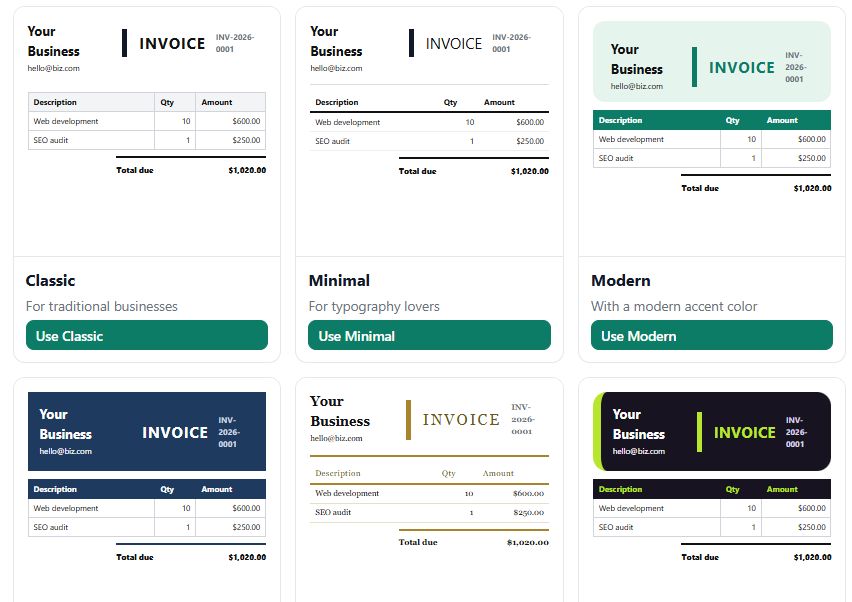
Invoice Generator covers the document side completely and runs entirely in your browser. 12 templates, 9 languages including right to left Arabic, 6 currencies, and 12 document types from invoice and quotation to credit note and purchase order. Export as PDF, Word, PNG or CSV, duplicate a document instead of rebuilding it, convert an accepted quote into an invoice in one click, and export everything as a JSON file for a backup. No account, no watermark, and nothing you type leaves your device.
How to decide in one minute
- Under about five invoices a month, one person, no ledger needed. A free invoice maker. Paying for software here is renting a warehouse to store a bicycle.
- Regular invoices, but you already know what is outstanding. Still a free invoice maker. Your head is the tracking system and it is working.
- You are chasing payments you had forgotten about. Invoicing software, or a spreadsheet you actually open.
- A second person needs to send under your name. Invoicing software.
- Your accountant asks for reports you cannot produce. Invoicing software.
Switch when the fee costs less than the time it saves. Not before, and not because the free tool looks less impressive than the demo you were shown.
What every small business invoice still needs
Whatever you use, the document has to carry the same things: your business name and tax ID, the client's name, a unique number, an issue date, line items with quantities and prices, the currency, the tax, the total, how you want to be paid, and the due date. A tool that produces all of that correctly is doing the job. Everything past it is convenience, and convenience is worth paying for only once it is costing you real time.
Free invoice maker FAQ
What is the difference between a free invoice maker and invoicing software?
A free invoice maker produces a document. Invoicing software runs the billing around the document: client records, sent and paid status, reminders and reports. The document is the same, the surrounding system is what you pay for.
Is a free invoice maker good enough for a small business?
For most one person businesses, yes. If you send a handful of invoices a month and you know what is outstanding, a tool that makes a correct PDF with your details on it is the whole job.
When should I switch to invoicing software?
When the tracking costs you more than the subscription. If you do not know what you billed last quarter, you are chasing payments you have forgotten about, or a second person needs to send on your behalf, the free tool has stopped being enough.
Can a free invoice maker tell me if I have been paid?
No. A document generator does not watch your bank account. You mark it paid yourself, or you keep a simple list of invoice numbers and due dates next to your PDFs.
Do I need an account to make an invoice for free?
Not with a local tool. Invoice Generator runs entirely in your browser with no sign-up and no watermark. Your business details are stored on your own device, not on someone else's server.
Can I turn an accepted quote into an invoice without paying?
Yes. A convert action copies the accepted quote into a new invoice, keeping the line items and the client details, so you are not retyping the job you already quoted.
No sign-up, no watermark, nothing leaves your browser.